 RV Roadie
When you work online from an RV the way I do, your internet connection isn’t a nice-to-have — it’s the whole job. I’ve been running a Starlink Mini on a Roam account for a year and a half now, using it almost entirely for my work on the road, and I can tell you exactly how it’s held up.
Before we go any further, let me get the biggest myth out of the way: most people assume Starlink is wildly expensive. It isn’t — not anymore. When I signed up 18 months ago, the Mini cost me $299 and my plan capped out at 50GB of data, and I paid overage fees almost every month. Today that same dish is $199 (and you can now split it into installments of about $16/month if you’d rather not pay it all up front), and the entry plan gives you 100GB for $55/month — and instead of charging overage fees when you hit the cap, they just slow your connection down. They’ve also added a 300GB plan for $80 — which, if you want to actually stream your shows on the road, is the one I’d point you to. They doubled the base data, added a middle tier, dropped the hardware price, and killed the overage fees. So if cost is what’s been holding you back, the numbers in your head are almost certainly out of date. I’ll break down exactly what I pay — and which plan fits which kind of traveler — further down.
This isn’t a spec sheet dressed up as a review. It’s what 18 months of real, everyday use has actually looked like — the plan, the data, the setup, the mounting, and whether I’d buy it again.
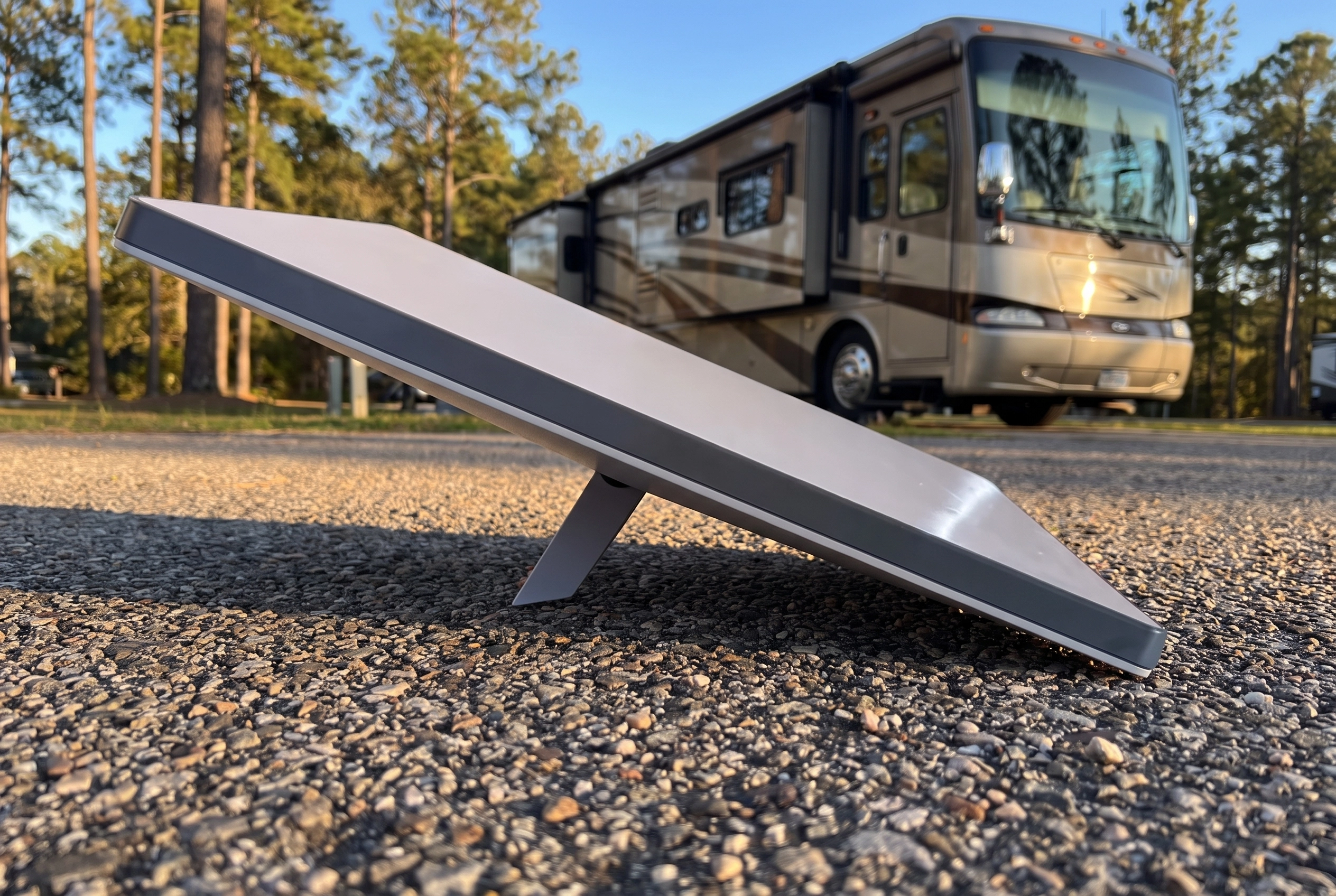
Starlink Mini
What the Starlink Mini Is
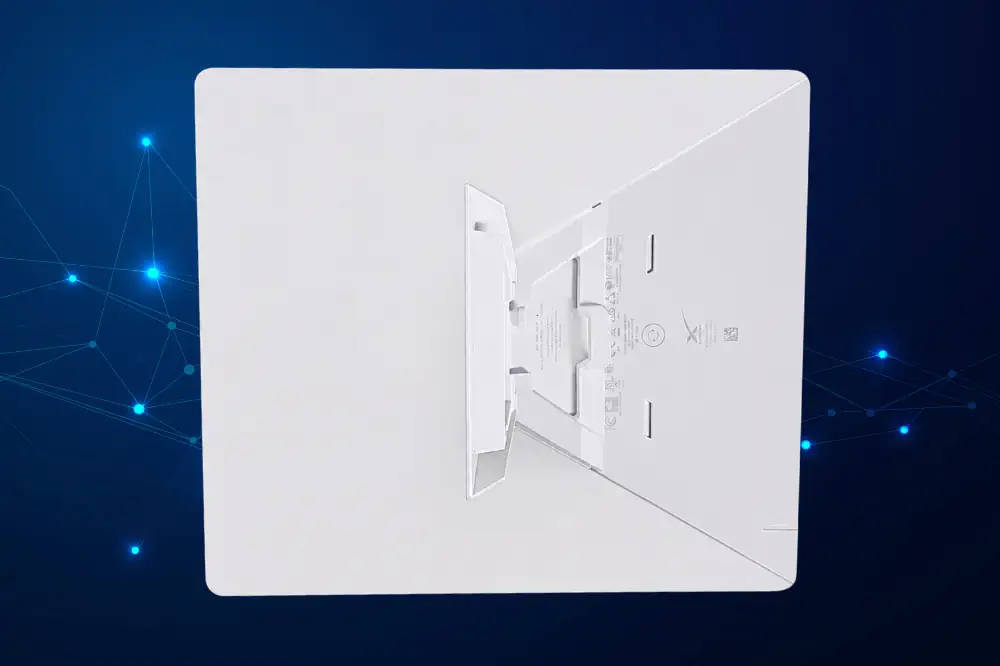
The Starlink Mini is the smallest, most portable dish in the Starlink lineup — a flat panel about the size of a laptop (roughly 11.75 x 10.2 inches and just 1.45 inches thick) with the Wi-Fi router built right in, so there’s no separate box to deal with. It’s made for people on the move, which is exactly why it’s become such a favorite among RVers. You point it at the sky, it talks to the satellites overhead, and you’ve got real internet in places where a cell signal gets thin or disappears entirely.
I pair mine with a Roam account, which is the plan built for travelers rather than for a fixed home address. There are three Roam tiers to choose from — 100GB for $55/month, 300GB for $80/month, and Unlimited for $175/month — and there are other Starlink plans out there too, but for this review I’m only talking about Roam, because that’s the one that makes sense for our life and the one I actually use. I’ll get into which tier fits which kind of traveler below.
A quick note, since people ask about the bigger Standard dish: if you’re signing up for Roam today, the Mini is really the dish for the job. It’s what Starlink points new mobile customers to, and its portability is exactly what RV life calls for. The larger Standard dish is built more for a fixed home setup where it stays mounted in one place — so for travel, the Mini isn’t just a choice, it’s the practical one.
What It Costs (and How Much It’s Improved)
Let me give you the real numbers, with the honest caveat that Starlink changes its pricing constantly — so treat these as a snapshot, not a promise. Last I looked, the Mini was $199 if you buy it directly through Starlink. You’ll also find it at third-party sellers like Best Buy and Tractor Supply, but you’ll usually pay more going that route, so I’d start direct. And if paying all at once is a stretch, Starlink lets you break the hardware into installments of around $16/month on their own site.
For service, there are three Roam tiers, and switching between them is easy if your needs change month to month:
- 100GB — $55/month. The base plan, and the one I run. Plenty for full-time online work.
- 300GB — $80/month. The newest tier, and the sweet spot if you want to stream your shows on the road. Just $25 more than the base plan for triple the data.
- Unlimited — $175/month. For heavy streamers or anyone running a household’s worth of devices off it.
Here’s the part that surprised me most coming from the old days: none of these plans charge overage fees anymore. When you hit your data cap, Starlink doesn’t cut you off and doesn’t bill you extra — it simply slows your connection down to a lower speed for the rest of the billing cycle. You can still email, take calls, and browse; you just won’t be streaming in HD once you’re past the cap.
Like I mentioned up top, this is a lot cheaper than it used to be — and here’s why that matters in daily use, not just on paper. Back when the plan capped me at 50GB, I regularly went over and paid a per-gigabyte overage fee every single month. That’s gone now. With 100GB included and no overage charges at all, I don’t have to watch the meter the way I used to — and that’s real money I’m no longer spending.
The Feature I Love Most: You Can Pause It
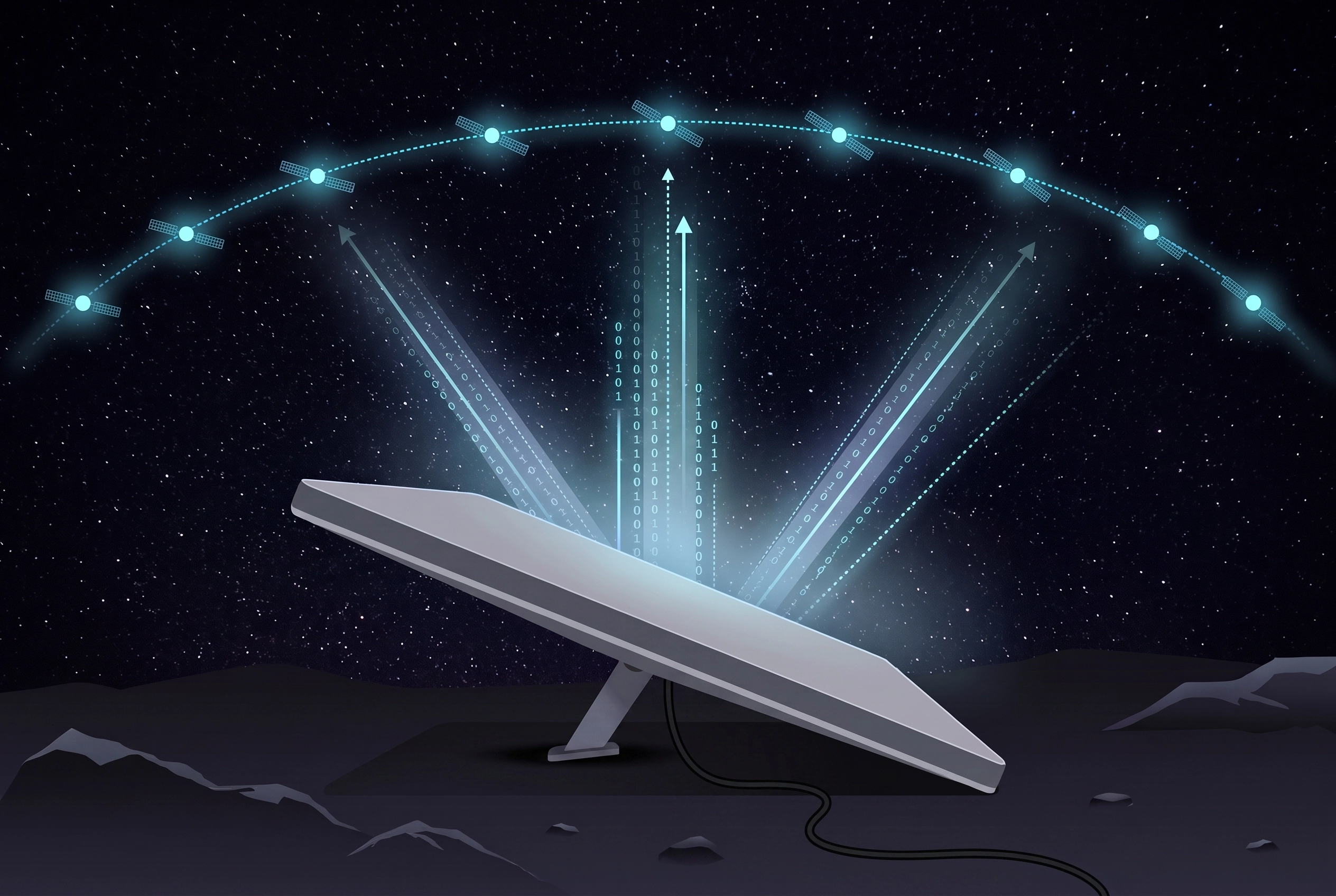
This one deserves its own section, because it’s a genuine money-saver that a lot of people don’t realize is there. If you ever need to pause your plan, Starlink lets you — right from your online account or the app. You can pause your service for however long you need, and you are not charged while it’s paused.
For anyone whose travel is seasonal, or who parks the rig for a stretch, this is huge. You’re not throwing money away on months you’re not using it. When you’re ready to roll again, you flip it back on. It’s the kind of flexibility that fits the RV life perfectly, and it’s a big reason the Roam plan works so well for people like us.
What Comes in the Box
One thing I appreciated right away: the Mini kit comes with everything you actually need to get going. No hunting for extra parts. In the box you get:
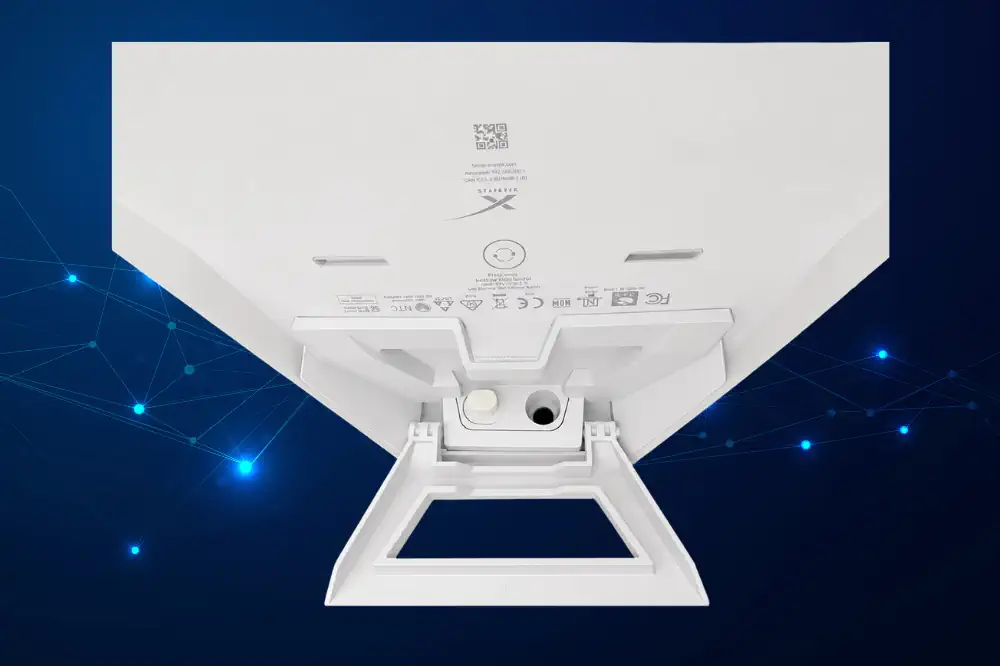
- The dish with the integrated Wi-Fi router built in
- A kickstand for setting it up on the ground
- A mini pipe adapter
- A flat mount
- A 15-meter DC power cable with a power supply brick and the Starlink plug that goes into the back of the Mini
There are optional add-ons you can buy — a car power adapter, various RV mounts, and so on — but I want to be clear that the standard kit had everything I needed. In a year and a half, I haven’t ordered a single extra component. It just worked with what came in the box.
How I Actually Set It Up
People assume a satellite dish is a fussy, complicated thing to position. It isn’t — not with this one. Here’s how I run mine day to day.
When we’re parked for a while, I set the Mini right on top of our RV roof. It’s not bolted down — we literally just set it up there. And I know that sounds precarious, but so far, so good: it has never blown off, and honestly, it hasn’t even moved in high winds and storms. It just sits there and does its job.
For shorter trips, I’ll simply set it on the ground right next to the RV. If I’m somewhere I don’t feel comfortable leaving it out on the ground, I’ll move it up to the roof, or I’ll just use my phone’s hotspot for the short time we’re there. It’s nice to have those options depending on where we’ve landed.
Aiming It Is Way Easier Than You’d Think
This is where I really want to reassure the nervous first-timer, because I used to set up internet connections for a living and I braced myself for this part. I didn’t need to. The Starlink app makes aiming it a breeze.
The app shows you a live image of your Mini — where it’s pointed and what obstacles are in the way. As you move and adjust the dish, the picture updates right along with you, so you can see in real time when you’ve found a clear view of the sky. There’s no guesswork, no compass, no math. You just nudge it until the app is happy. Very, very easy. As long as you’ve got it pointed right, you’re good to go — and getting it pointed right takes about a minute.
The Speed Has Been Outstanding
For such a little unit, the speed has genuinely amazed me. I have no complaints there at all. Here are the real numbers from my own use: I average around 120 Mbps download, and in spots with a totally clear view of the sky I’ve seen it climb as high as 300 Mbps. Upload is slower, as it always is with Starlink — somewhere around 15 Mbps — but that’s been plenty for my work, including video calls that hold steady without dropping. Latency is excellent too, usually right around 20 ms, which is a big part of why everything feels responsive rather than laggy.
The honest variable in all of this is obstruction. There’s almost always some — a tree, a branch, the edge of an awning — and in wooded areas it has the biggest effect on your speed. The clearer your view of the sky, the faster and steadier it runs. So if you’re comparing my numbers to yours, remember that a lot of it comes down to how open your particular spot is.
The other honest note is about data habits, not speed. I don’t use my Starlink for streaming movies — unless it’s just a couple, or I know for sure I’ve got the data to spare. My account is for my work online, and I manage my streaming around that. Which brings me to the question everyone asks.
Is 100GB Enough? For Me, Yes
I get this one a lot, so here’s my real-world answer as someone who works online all day long: 100GB is plenty. I typically use around 80GB a month, and that’s with me on the computer for the better part of every day. That’s why the jump from 50GB to 100GB mattered so much for me — under the old cap I was routinely paying the overage; now I sit comfortably under the limit with room to spare.
If your usage looks like mine — real work, browsing, email, the everyday online stuff — you’ll likely find 100GB is more than enough. If you’re planning to stream movies every night, either be mindful and manage it the way I do, or take a serious look at the 300GB plan — that’s exactly the gap it was built to fill. And if you’ve read this far and you’re curious to see it for yourself, you can check out the Starlink Mini through my referral link — it just takes you to Starlink’s site to look, and signing up that way gets you and I both $100.
A Quick Word on Streaming and Your Data
Since streaming is where people burn through data fastest, let me give you the rough math so you can plan. Two things matter here, and they’re easy to mix up: the speed a stream needs while it’s playing, and the data it pulls from your monthly cap.
For speed, a standard-definition movie needs around 3–4 Mbps and a high-definition (1080p) movie around 5–8 Mbps — well within what the Mini delivers, so speed is rarely your problem. The thing to watch is data. As a rough guide, standard definition uses about 1 GB per hour, HD (1080p) about 2-3 GB per hour, and 4K up to 7-10 GB per hour. So a two-hour HD movie runs you roughly 6 GB, while the same movie in standard definition is closer to 2 GB. Put another way, your 100GB will stretch to somewhere around 30–35 hours of HD a month — or a lot more if you dial the quality down.
And here’s the tip that saves the most data: most TVs and apps default to the highest quality they can manage, but you can almost always turn that down. There are two places to look. First, inside each streaming app — Netflix, for example, lets you set playback quality in your account settings, and most other services have their own version of the same thing. Second, in your TV’s own settings menu, many smart TVs have a video-quality or data-saver option, though where it lives depends on your TV’s brand. On a smaller screen you’ll barely notice the drop from HD to standard definition, but it can cut your data use dramatically — often around 3 to 4 times less. So if you do want regular movie nights, lowering the quality is how you stretch your data furthest — and if movie nights are non-negotiable, that’s the case for stepping up to the 300GB plan rather than fighting the 100GB cap.
The Pros
- Truly portable and self-contained — the router’s built into the dish, and the kit has everything you need out of the box.
- Easy to aim — the app’s live view makes pointing it almost foolproof, even for a first-timer.
- Excellent speed — more than enough for a full-time online worker who’s on the computer all day.
- Flexible setup — roof, ground, or fall back on your hotspot; you choose based on where you are.
- Pause anytime, free — a perfect fit for seasonal or occasional travel.
- Getting better over time — cheaper hardware, double the data, and no more overage fees compared to 18 months ago.
The Honest Notes
- It’s line-of-sight — like any satellite dish, it needs a clear view of the sky, so heavy tree cover or obstructions can get in the way. The app helps you find the best spot.
- The 100GB tier isn’t unlimited full-speed data — it’s generous for most of us, but once you pass the cap your speed drops for the rest of the cycle (no extra charge, just slower). Heavy streamers should watch their usage or step up to the 300GB or Unlimited tier.
- Pricing moves around — Starlink adjusts plans and prices often (they rolled out the 300GB tier and nudged other prices recently), so always confirm the current numbers on their site before you commit.
Who the Starlink Mini Is For
The Starlink Mini on a Roam plan is a great fit for RVers who:
- Work online from the road and need a connection they can count on
- Travel to places where cell service gets spotty or vanishes
- Want gear that’s easy to set up and doesn’t require professional installation
- Travel seasonally and want the freedom to pause and save money between trips
- Want portable internet that’s genuinely simple to live with day to day
Final Verdict: An Easy Yes After 18 Months
A year and a half in, the Starlink Mini has quietly become one of the most important pieces of gear we own. It powers my work, it’s held up through storms sitting loose on our roof, it’s dead simple to set up and aim, and the speed has never let me down. Add in a Roam plan I can pause whenever we’re not using it, plus hardware that’s gotten cheaper and more generous with data since I bought in, and there’s just not much to complain about.
Would I buy it again? Without hesitation. I’m giving it a full 5 out of 5 stars, and I mean it — this is the piece of equipment I’d replace first if anything ever happened to it, because without it, I couldn’t do what I do from the road. For a full-time working RVer, it’s been worth every penny.
Want to see the rest of what keeps us rolling? The Mini is one of the picks in our full Essential RV Gear guide — the roundup of almost everything we use on the road.
Starlink Mini
Frequently Asked Questions
How much does the Starlink Mini cost for RV use?
Last I checked, the Mini hardware was $199 direct from Starlink, and you can split that into installments of about $16/month on their site. On the Roam plan you can choose 100GB for $55/month, 300GB for $80/month, or Unlimited for $175/month — I run the 100GB plan. None of the Roam plans charge overage fees anymore; if you pass your data cap, they slow your speed instead of billing you extra. Prices change often, so confirm the current numbers on Starlink’s website before you buy.
Is 100GB of data enough for working from an RV?
For me, yes — and I’m on my computer most of the day for work. I typically use around 80GB a month, so 100GB leaves me comfortable room. If you plan to stream movies every night, watch your usage or consider the 300GB plan, but for everyday online work and browsing, 100GB has been plenty.
Can you pause a Starlink Roam plan?
Yes, and it’s one of my favorite features. From your online account or the Starlink app, you can pause your service for as long as you need and you won’t be charged while it’s paused. It’s ideal for seasonal travelers or anyone parking the rig between trips.
How hard is it to set up and aim the Starlink Mini?
Much easier than most people expect. The Starlink app shows a live image of your dish, where it’s pointed, and any obstacles in the way, updating in real time as you adjust it. There’s no compass or guesswork — you just nudge it until you have a clear view of the sky. I used to set up internet connections professionally, and I found this genuinely simple.
Where do you put the Starlink Mini on an RV?
When we’re parked for a while, I set it right on top of our RV roof — not bolted down, just placed there — and it has never blown off or even shifted in high winds and storms. For shorter stops, I set it on the ground next to the rig, or move it to the roof if I’d rather not leave it out. If it’s a quick stop, I’ll sometimes just use my phone’s hotspot instead.
What comes in the Starlink Mini kit?
The kit includes the dish with the integrated Wi-Fi router, a kickstand, a mini pipe adapter, a flat mount, and a 15-meter DC power cable with a power supply brick and the plug that goes into the back of the Mini. Optional extras like a car adapter and RV mounts are available, but I’ve found the standard kit had everything I needed and haven’t bought anything extra.